


Download Croissant 2.0 – co-working space, workspace reservation, business meeting, short-term office, remote work, virtual office, subscription service, free coffee, free parking, online meeting, flexible workspace, business tools, desktop app, mobile app
Overview
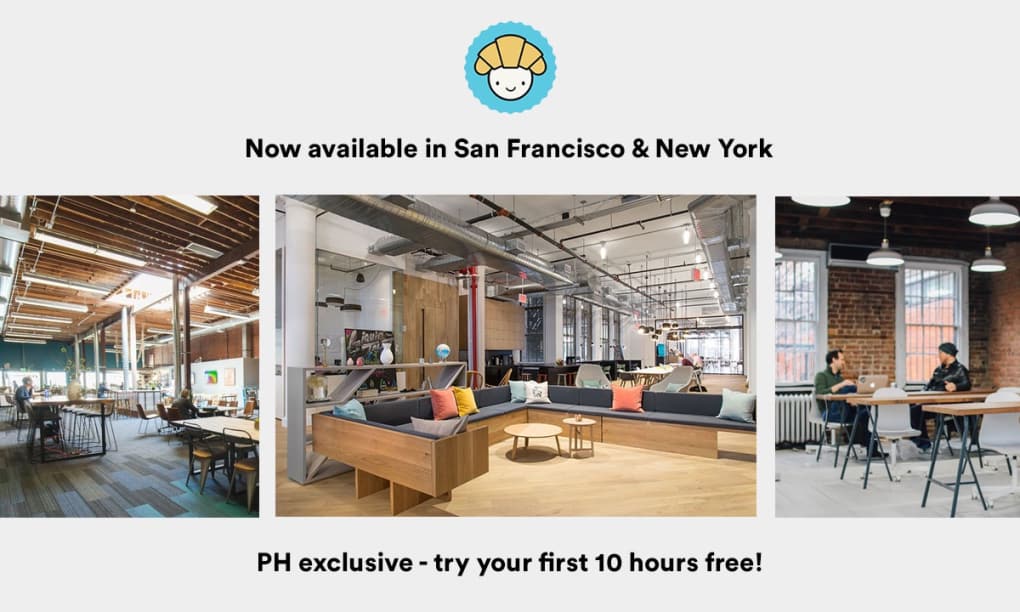
Croissant 2.0 is a desktop application designed to simplify the process of reserving short-term workspaces for business use. It caters to professionals and entrepreneurs who require temporary, dedicated office environments for meetings, collaborative sessions, or focused work. The app functions as a digital reservation platform, connecting users with curated local workspaces that offer essential amenities such as fast Wi-Fi, quiet surroundings, free coffee, and free parking. These spaces are tailored for business productivity and are particularly useful for those who work remotely or operate in flexible work models. The software is part of a subscription-based service, providing access to a network of vetted co-working locations primarily in major U.S. cities, with future expansion plans noted. While the top-tier subscription is priced at $249 per month, a free seven-day trial is available for both desktop and mobile platforms. The app is developed by Croissant Inc., a company focused on modern workspace solutions. It is suitable for small businesses, startups, and independent professionals who need reliable, on-demand office access without long-term commitments. Real-world usage includes last-minute meeting bookings, client presentations, or temporary remote office setups.Key Features & Capabilities
- Short-Term Workspace Booking – Users can browse and reserve dedicated workspaces on-demand for a set duration, ideal for impromptu meetings or focused work sessions.
- Integrated Amenities – Each listed workspace includes fast Wi-Fi, quiet surroundings, free coffee, and free parking, enhancing productivity and comfort.
- Subscription-Based Access – The app operates under a tiered subscription model, granting users access to a curated network of business-friendly locations across select U.S. cities.
- Multi-Platform Availability – Croissant 2.0 is accessible via both desktop (Windows and Mac) and mobile devices, ensuring seamless access across devices.
- Quick Reservation System – The interface allows users to find and book a workspace within seconds, minimizing time spent on logistics.
User Interface, Workflow & Performance
The user interface of Croissant 2.0 is designed for efficiency and clarity, with a clean layout that emphasizes quick access to available workspaces. Navigation is structured around a central map or list view, allowing users to filter by location, availability, amenities, and duration. The workflow follows a straightforward path: select a city, view nearby spaces, check availability, and confirm a reservation with minimal clicks. The app maintains a responsive design, ensuring smooth interaction across both Windows and Mac platforms. While specific performance data such as CPU or RAM usage were not provided, the 45.2 MB file size suggests a lightweight footprint, likely contributing to fast startup times and low system impact. The developer did not specify resource usage details. Stability is expected to be consistent given the app’s focused functionality and limited scope. Users can expect reliable performance during booking sessions, though real-world performance may vary based on internet connectivity and server response times. The app appears optimized for desktop use, with interface elements sized for mouse and keyboard interaction. Overall, the workflow prioritizes speed and simplicity, aligning with the needs of professionals seeking time-saving tools.Compatibility & System Requirements
Croissant 2.0 is available for both Windows and Mac operating systems, making it accessible to a broad segment of desktop users. The software version is 2.0, with a file size of 45.2 MB, indicating a compact installation package. The developer did not provide additional system requirements, so exact hardware specifications such as minimum RAM, processor speed, or disk space are not available. Compatibility information was partially provided, with no mention of older OS versions or specific hardware dependencies. Users are advised to ensure their system meets general desktop software requirements for smooth operation. The app is designed to run on modern desktop environments, and its lightweight size suggests compatibility with most current Windows and Mac systems. For users unsure about system compatibility, it is recommended to consult the official developer site or contact support. The lack of detailed technical specifications limits the ability to assess performance on older or low-resource machines.Pros and Cons
- Quick, intuitive booking process for short-term workspaces
- Includes essential business amenities: free coffee, free parking, fast Wi-Fi
- Available on both desktop and mobile platforms
- Free 7-day trial allows risk-free testing
- Curated network of professional-grade workspaces in major U.S. cities
- High subscription cost at $249/month for the top tier
- Limited availability to select U.S. cities only
- No public details on system requirements or performance metrics
- May be overpriced for occasional users
- Future expansion plans are mentioned, but not confirmed
FAQ Section
Is Croissant 2.0 compatible with Windows and Mac?
Yes, Croissant 2.0 is available for both Windows and Mac operating systems.
Can I use Croissant 2.0 offline?
The app requires an active internet connection to access workspace availability and complete reservations. Offline functionality is not supported.
Is the subscription service secure?
As a desktop application from Croissant Inc., the software uses standard secure protocols for data transmission. However, specific security measures were not detailed in the provided information.
How often are updates released?
The software is currently at version 2.0, with no information provided on update frequency or release schedule.
What is the license type for Croissant 2.0?
Croissant 2.0 operates under a subscription-based model. The license grants access to the service for a defined period, with renewal required after the subscription ends.




.png)


